V03AI
Visit- Introduction:
Create AI-generated videos with sound in minutes.
- Added on:
Aug 22 2025
- Company:
V03 AI
- AI Video Generation
Text to Video
Image to Video
Video Creation
Social Media Content
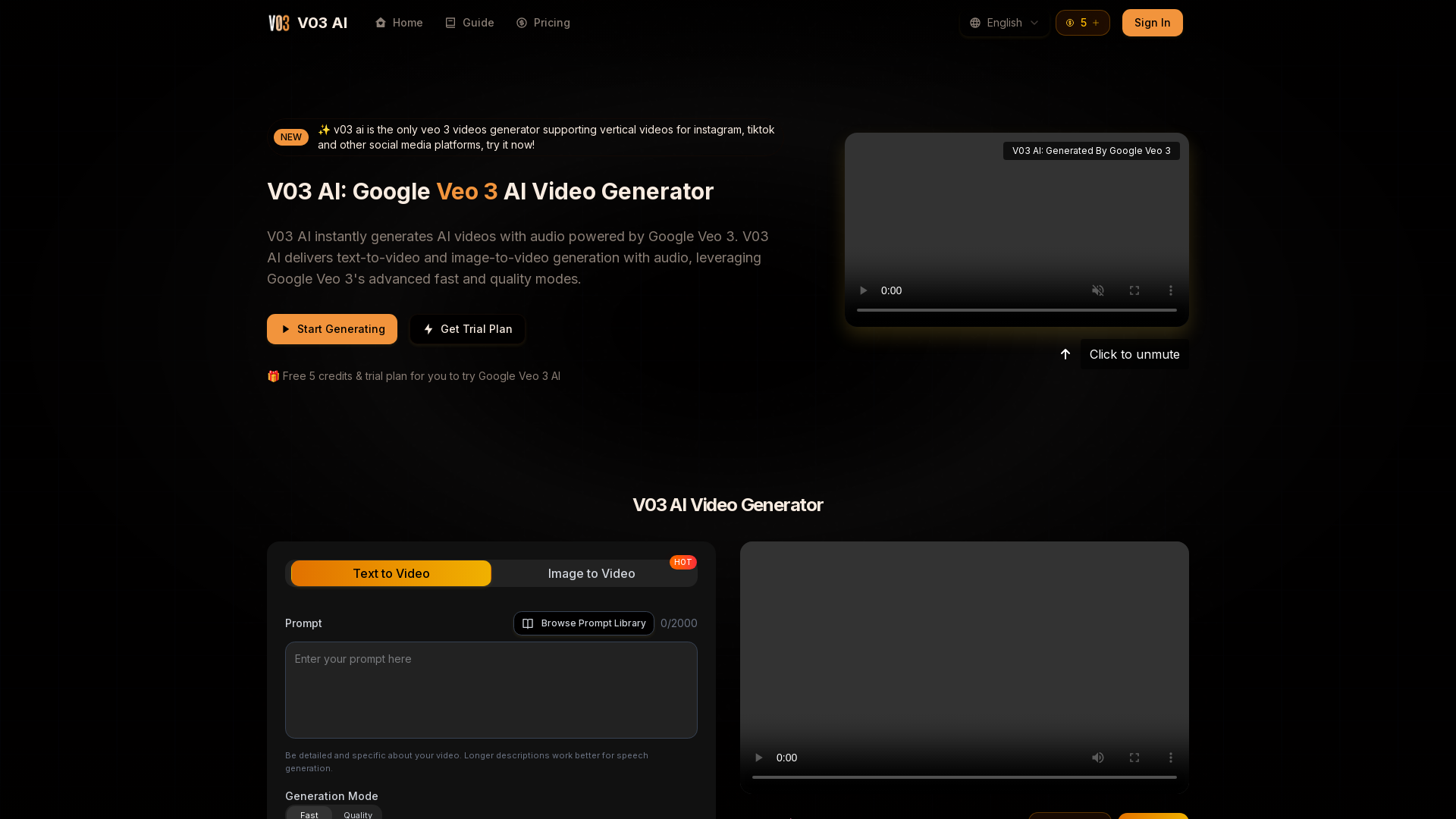
Introducing V03 AI: Your Creative AI Video Generator
V03 AI is a next-generation AI video generator powered by Google Veo 3. It enables users to create ultra-realistic videos with synchronized sound effects, ambient noise, and even dialogue. By simply providing text or image prompts, V03 AI produces high-quality cinematic videos for a variety of uses, from content creation to marketing. Whether you're looking to generate social media clips, product demos, or artistic visuals, V03 AI offers powerful tools to bring your creative vision to life.
Main Functions of V03 AI
Text-to-Video Generation
Example
Generate a product demo with specific movements and camera angles.
Scenario
You can input a detailed description, and V03 AI will create a video based on the text, adding realistic movements, sound effects, and dialogue.
Image-to-Video Conversion
Example
Turn an illustration or digital art into a dynamic video clip.
Scenario
Upload an image, and V03 AI will transform it into a full video, bringing it to life with motion, sound, and cinematic quality.
Social Media Optimization
Example
Create Instagram Reels or TikTok videos in vertical format.
Scenario
V03 AI allows users to generate videos in various aspect ratios, including 9:16 for social media platforms like Instagram and TikTok, with professional-grade quality.
Who Can Benefit from V03 AI?
Content Creators
V03 AI is ideal for content creators who need to generate engaging, high-quality videos quickly, with minimal effort and maximum creative control.
Marketing Teams
Marketing teams can leverage V03 AI to create professional videos for product launches, advertisements, or social media campaigns without the need for extensive production time or resources.
Artists & Designers
Artists and designers can use V03 AI to bring their artwork to life, turning static images into dynamic, cinematic videos for portfolio or promotional use.
How to Use V03 AI
- 1
Step 1: Enter Your Prompt
Start by typing a detailed description or uploading an image to guide V03 AI in generating your video.
- 2
Step 2: Select Generation Mode
Choose between Fast mode for quick video generation or Quality mode for cinematic-level output.
- 3
Step 3: Generate and Download
V03 AI will create the video with synchronized audio and cinematic effects. Once done, you can download and share it immediately.
Related Youtube Video About V03AI

UNLIMITED FREE AI Video Generator 🔥 Text to Video AI & Image to Video | Make Animation Film with AI

GOOGLE NEW AI VEO 3 AI Video Generation is Literally Insane with Perfect Audio!
InVideo: AI to Make Videos in Minutes
Vidu Ai: Create Cinematic Animations for Free | AI Video Generation Tool Tutorial
This Free AI Video Generator is Wild!

VEO 3 AI Video Generation is Literally Insane with Perfect Audio! - 60 User Generated Wild Examples
This AI TEXT-to-VIDEO generator is WILD: invideo AI tutorial

AI can now generate videos with sound - Veo 3
Frequently Asked Questions
V03AI Pricing
For the latest pricing, please visit this link:https://v03ai.com
Basic Plan
$6.9/month or $9.9/year
720p video resolution
Video with sound effects
Private video generation
Basic support
Commercial usage rights
Remove watermark
Pro Plan
$13.9/month or $19.9/year
1080p video resolution
Video with sound effects
Private video generation
Basic support
Commercial usage rights
Remove watermark
Max Plan
$34.9/month or $49.9/year
1080p video resolution
Video with sound effects
Private video generation
Priority support
Commercial usage rights
Remove watermark
Pro Max Plan
$59.9/month or $85.9/year
1080p video resolution
Video with sound effects
Private video generation
Priority support
Commercial usage rights
Remove watermark